Understanding Product Pages
Learn how Product Pages bring together pricing, inventory, offers, and community information to help you make confident buying decisions.
Understanding Product Pages
Every deal you discover on BrickSeek eventually leads to a Product Page. This is where you'll evaluate pricing, compare offers, and decide whether a deal is worth buying.
Think of the Product Page as your shopping decision center. Instead of jumping between multiple websites, BrickSeek brings together the information available for a product in one convenient place, helping you quickly determine whether it's the right time to buy.
Whether you're browsing Staff Picks, Local Deals, Online Deals, Categories, Retailers, or search results, you'll eventually end up here.

What's on a Product Page?
The Product Page brings together everything BrickSeek knows about a product, making it easier to evaluate deals without searching multiple websites.
Depending on the retailer and product, you may see:
- Current price
- Original price
- Local offers
- Online offers
- Pricing Insights
- Community Scores
- Product information
- Inventory availability
- A direct link to the retailer's website
Not every retailer provides the same information, so the details available may vary from one product to another.
Everything in One Place
Instead of checking multiple retailer websites, comparing prices manually, or searching for product information on your own, BrickSeek organizes everything available into a single page.
This allows you to quickly:
- Compare available offers
- Review pricing information
- Check nearby availability
- Read community feedback
- Visit the retailer when you're ready to purchase
The goal is to help you make informed shopping decisions with less effort.
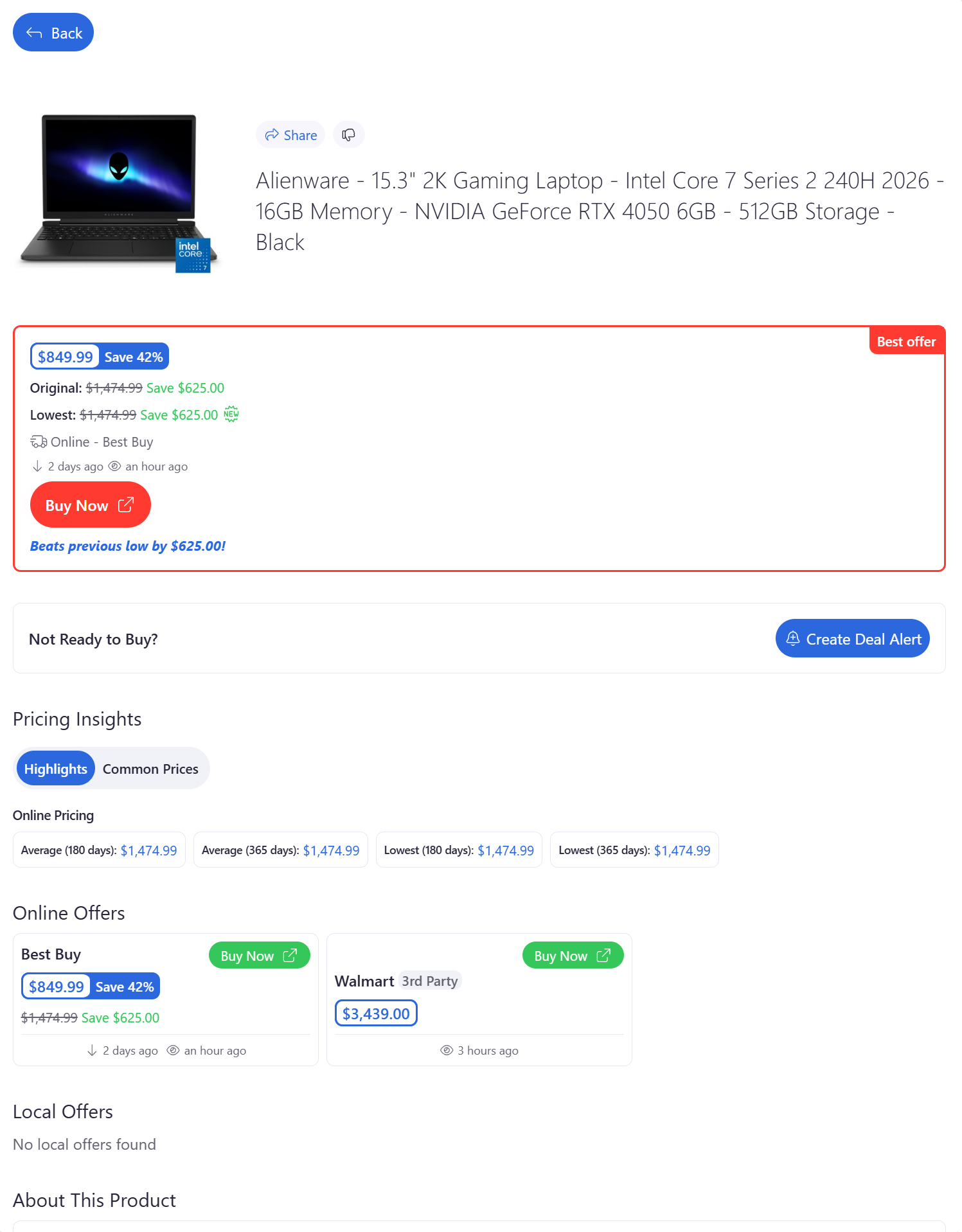
Information May Vary
Every retailer shares different types of pricing, inventory, and product information.
Because of that, some Product Pages may include more information than others. For example, one retailer may provide local inventory while another only provides online pricing.
That's completely normal and depends on the retailer, not the product itself.
As BrickSeek continues adding support for more retailers and features, Product Pages may continue to evolve over time.
Continue Exploring
The Product Page contains several powerful tools, each designed to help you evaluate deals from a different perspective.
In the following lessons, we'll take a closer look at:
- Pricing Insights
- Community Scores
- Comparing Local & Online Offers
- Product Information
- The View Button
Understanding each section will help you evaluate deals faster and shop with greater confidence.
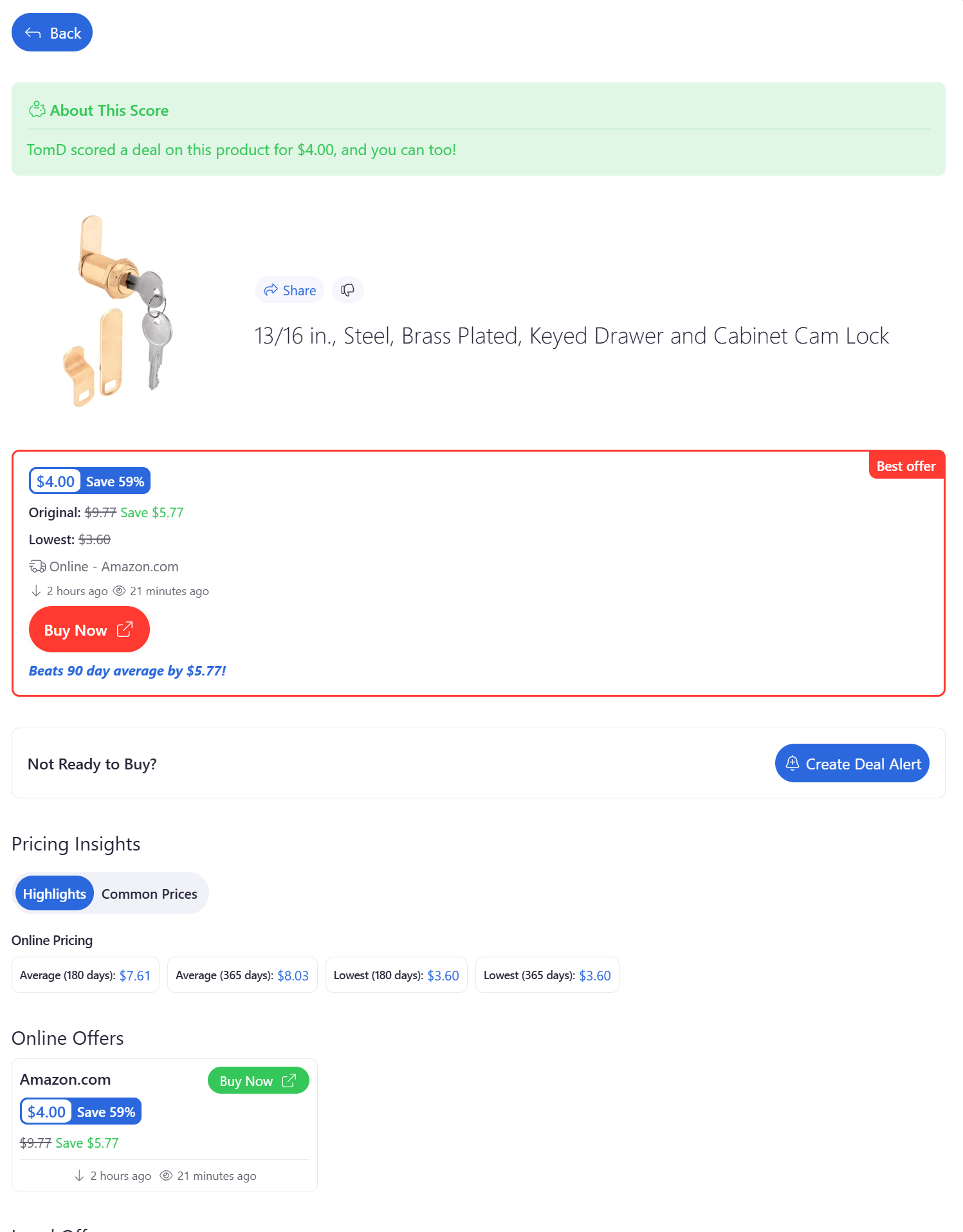
Pro Tips
💡 The Product Page is the best place to evaluate a deal before making a purchase.
💡 Not every Product Page will contain the same information because every retailer shares different types of data.
💡 Compare local and online offers whenever they're available—you may find a better price or a more convenient purchasing option.
💡 Use the View button to verify pricing, availability, and product details directly on the retailer's website before completing your purchase.
Frequently Asked Questions
Why do some Product Pages have more information than others?
Each retailer provides different types of pricing, inventory, and product data. The information available on a Product Page depends on what BrickSeek receives from that retailer.
Can I purchase products directly from BrickSeek?
No. BrickSeek helps you discover and evaluate deals, then links you directly to the retailer's website to complete your purchase.
What should I look at first?
Start with the selected offer near the top of the page, then review Pricing Insights, available local or online offers, and any additional product information that helps you evaluate the deal.
Why does the selected offer sometimes change?
Some products are available from multiple retailers or sellers. BrickSeek highlights a selected offer, but additional local and online offers may also be available depending on the product.
Related Lessons
- Understanding Pricing Insights
- Undertstanding Community Scores
- Comparing Local & Online Offers
- Using the View Button
- How to Evaluate a Deal