How to Evaluate a Deal
Learn how to use BrickSeek's Product Pages to compare prices, review offers, and decide whether a deal is worth buying.
How to Evaluate a Deal
Finding a product with a big discount is exciting—but the biggest percentage off isn't always the best deal.
BrickSeek's Product Pages give you the information you need to make confident buying decisions before spending your money.
Instead of relying on a single price, you can compare offers, review pricing history, check local availability, and see what other members have found.
Start with the Product Page
Whenever you click on a product from one of BrickSeek's deal feeds, you'll be taken to its Product Page.
This page brings together everything you need to evaluate that product in one place.
Depending on the retailer, you may see:
- Current price
- Original price
- Local store offers
- Online offers
- Pricing Insights
- Community Scores
- Inventory information

Review the Selected Offer
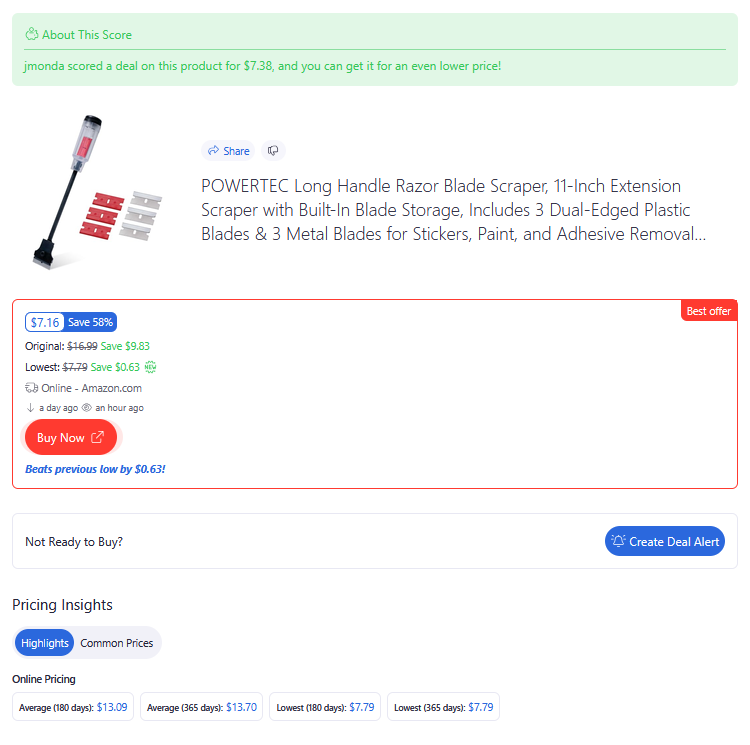
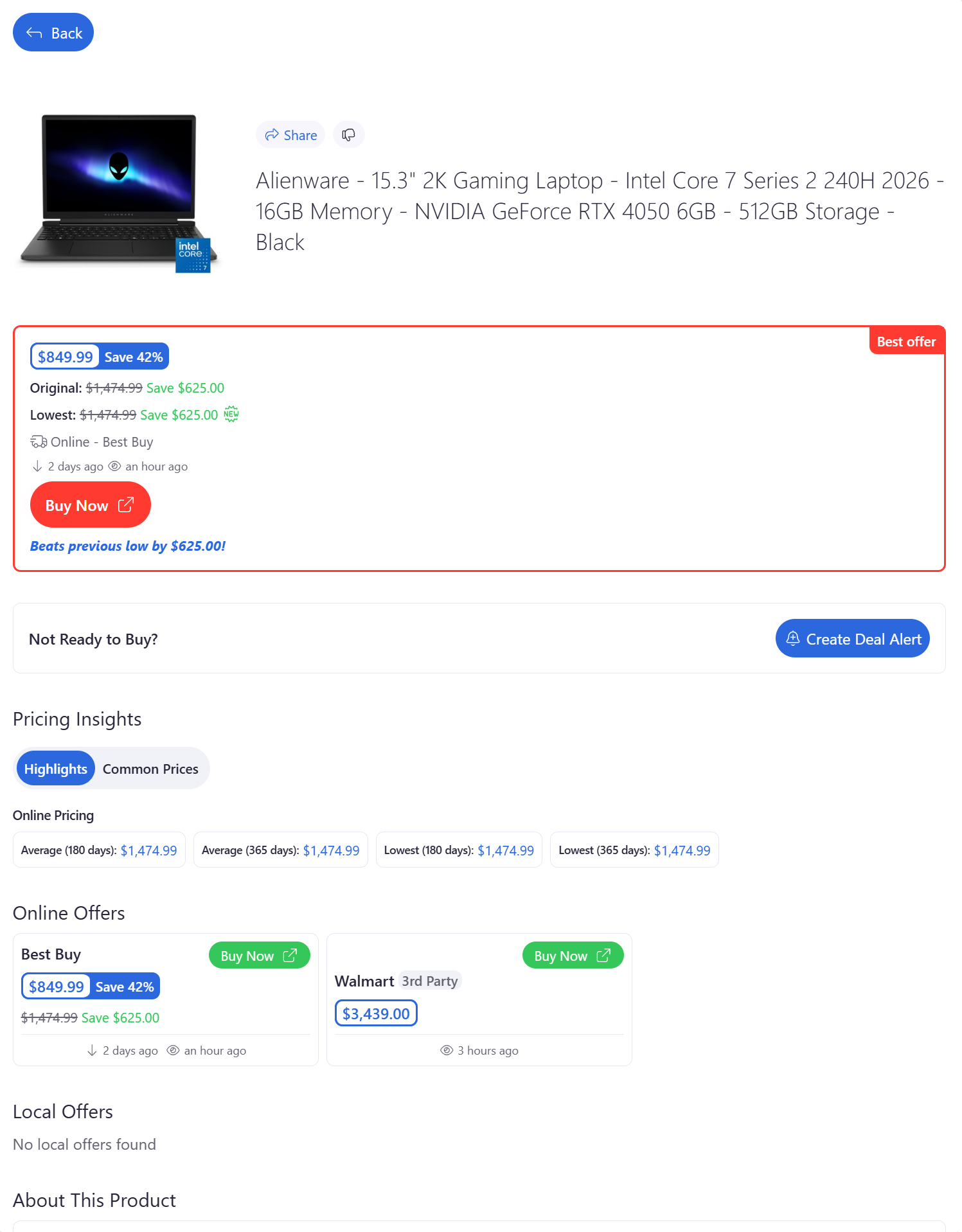
The offer you clicked from a deal feed is highlighted at the top of the Product Page.
This makes it easy to confirm you're looking at the same deal that caught your attention.
If BrickSeek has found an even better offer for the same product, we'll let you know so you don't accidentally miss a better opportunity.
.png)
Compare Local and Online Offers
Many products are available from multiple locations or through different purchasing options.
Review both:
- Local offers
- Online offers
Sometimes you'll find:
- A lower local clearance price.
- Better inventory at another nearby location.
- A competitive online price.
Comparing all available offers helps ensure you're getting the best value.

Understand Pricing Insights
Pricing Insights help provide additional context for a deal.
Depending on the product and retailer, you may see information such as:
- Current selling price
- Original price
- Comparison pricing
Rather than relying on a single percentage discount, Pricing Insights help you understand how today's price compares with normal pricing.

Community Scores
Some products include Community Scores submitted by other BrickSeek members.
These scores can provide additional confidence by showing what other members have found at their local stores.
Community Scores are meant to supplement your shopping decision—not replace it.
Always Verify Before Purchasing
Retail pricing and inventory can change quickly.
Before making a trip to the store, we recommend clicking View or Buy Now to confirm the latest information directly on the retailer's website.
This helps ensure you have the most up-to-date pricing and availability before you buy.
Pro Tips
💡 Don't focus only on the percentage discount. Consider the actual price you're paying.
💡 Compare nearby stores before driving to a single location.
💡 Community Scores can provide helpful context, but always verify pricing yourself.
💡 Product Pages are your best source for making informed buying decisions.
Frequently Asked Questions
Why do I sometimes see multiple prices?
Many retailers have different prices at different store locations or online. BrickSeek displays available offers so you can compare them to make the best buying decision.
What is the highlighted offer?
It's usually the deal you clicked on from the previous page or it's an even better price than what you were originally looking at. We highlight it so you can quickly identify the best offer for that product.
Why does BrickSeek recommend another offer?
If we discover a better price than the one you originally selected, we'll let you know so you can make the best purchasing decision.
Should I always click View or Buy Now?
Yes. We recommend verifying pricing and availability on the retailer's website before making a trip to the store. You don't have to, but this helps your confidence.
Related Lessons
- Finding Your First Deal
- Browsing Local Deals
- Understanding Product Pages
- Finding Local Inventory