Finding Your First Deal
Learn how to browse deals, filter results, and open Product Pages to confidently find your first great BrickSeek deal.
Finding Your First Deal
One of the easiest ways to get started with BrickSeek is by browsing the latest deals.
Whether you're looking for tools, electronics, home improvement items, toys, or everyday essentials, BrickSeek helps you discover products that may be selling below their normal retail price.
The goal isn't to buy everything you see—it's to quickly identify deals that are worth your attention.
Start with a Deal Feed
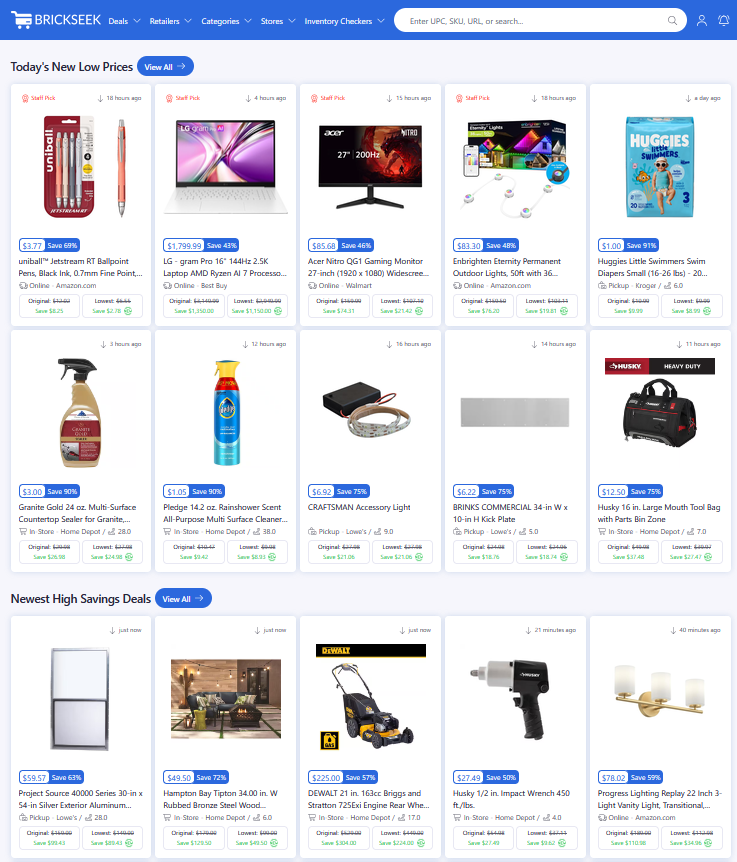
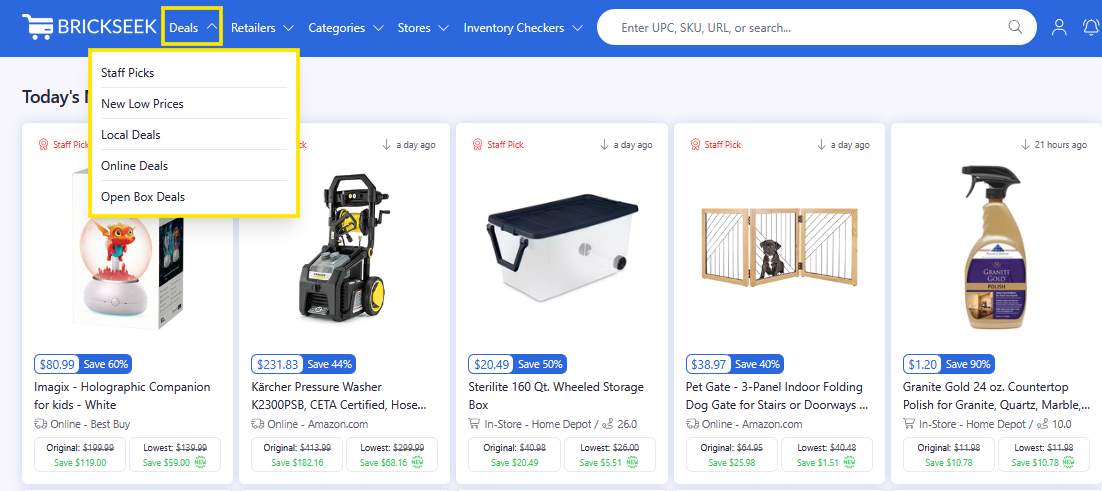
From the main navigation, choose one of BrickSeek's deal feeds.
Popular starting points include:
- New Low Prices for recently reduced prices.
- Local Deals to find opportunities near your selected stores.
- Online Deals for items available to purchase online.
- Staff Picks for noteworthy deals selected by the BrickSeek team.
Use Filters to Narrow Your Results
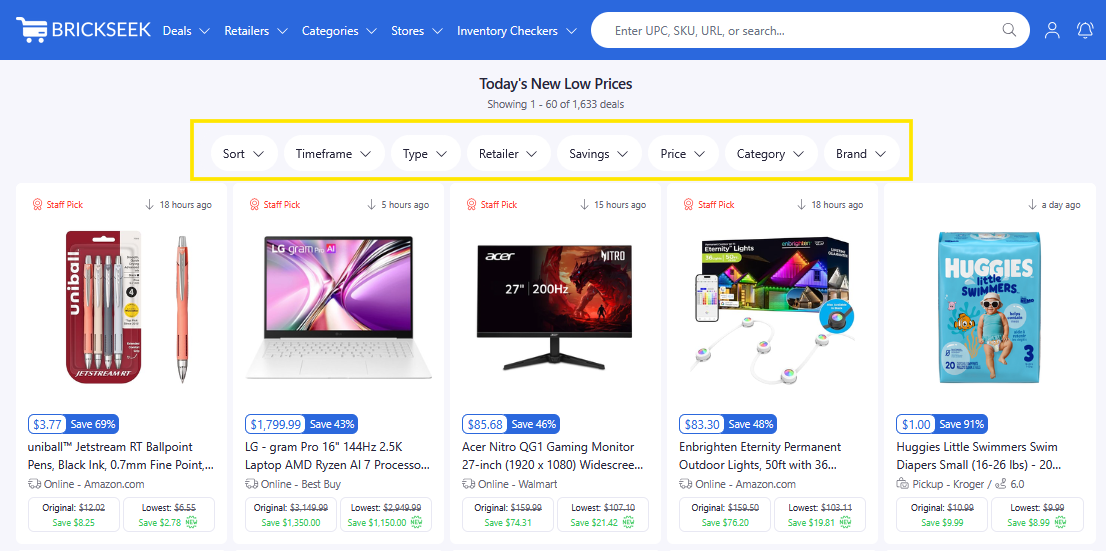
Most deal feeds include filters that help you quickly find products that match your interests.
Depending on the page, you may be able to filter by:
- Category
- Retailer
- Price
- Savings Discount
- Availability
Don't be afraid to experiment with different combinations. Filtering can quickly transform hundreds of deals into a manageable list that's relevant to you.
Open the Product Page
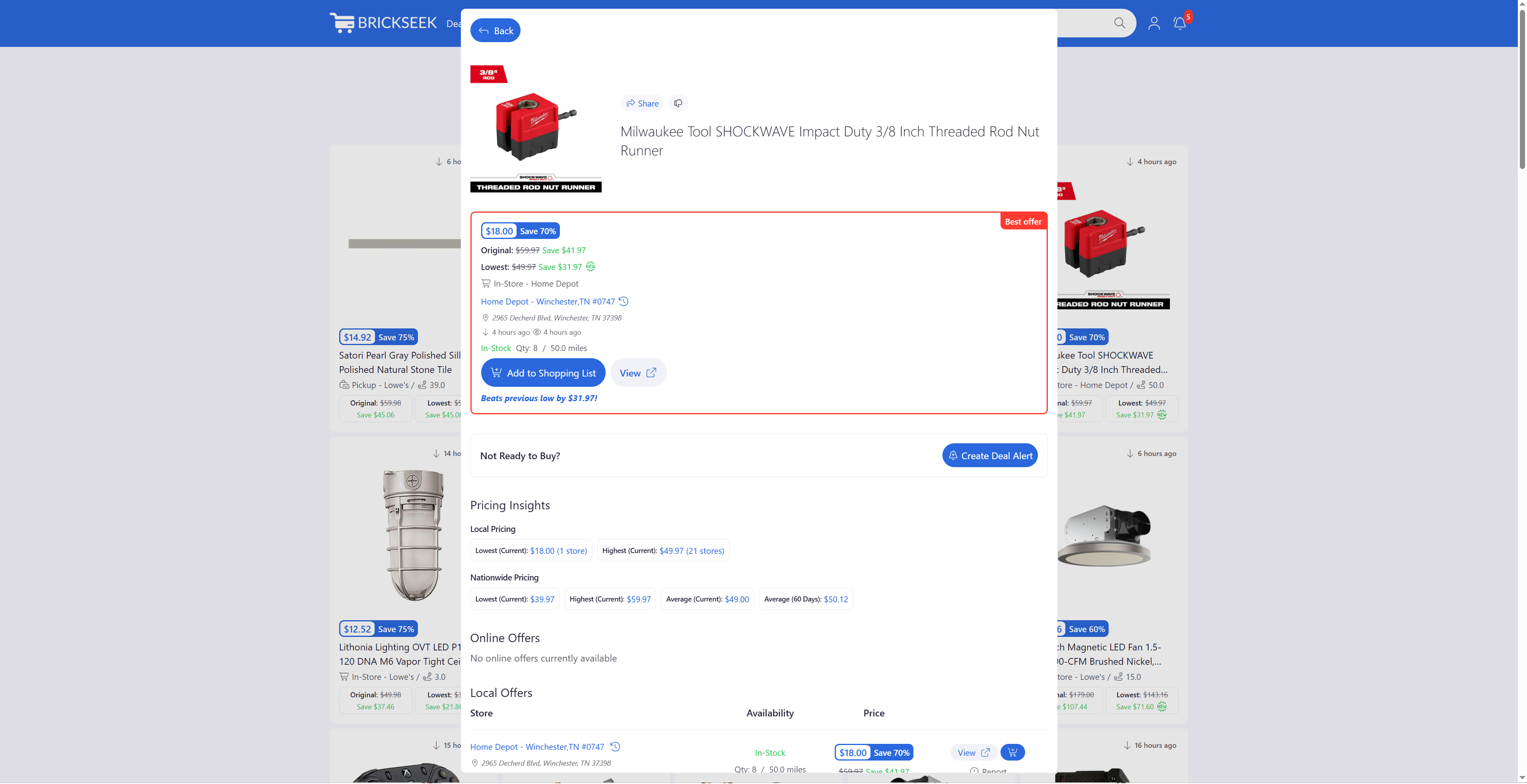
When a product catches your eye, click it to open its Product Page.
The Product Page gives you additional information such as:
- Current pricing
- Original price
- Local offers
- Online offers
- Pricing Insights
- Community Scores
- Inventory information (when available)
This page is where you'll decide whether a deal is worth pursuing.
Verify Before You Go
Prices and inventory can change quickly.
Before heading to a store, we recommend:
- Reviewing the Product Page
- Confirming the price
- Checking inventory
- Clicking View to verify the information directly on the retailer's website whenever possible if it's an in-store only deal, otherwise click the Buy Now button.
Taking a few extra seconds to verify the latest information can help you avoid unnecessary trips.

Pro Tips
💡 Start with Staff Picks if you're not sure what to look for.
💡 Check the New Low Prices regularly to catch newly reduced items.
💡 If you find something interesting but aren't ready to purchase, create a Deal Alert.
💡 Don't overlook nearby stores—clearance prices often vary by location.
Frequently Asked Questions
Which deal feed should I start with?
If you're new to BrickSeek, we recommend starting with Staff Picks, the New Low Prices, and the Local Deals feeds. These are great places to discover interesting deals without needing to search for a specific product.
Why don't I see the same price at every store?
Many retailers adjust prices individually by location, especially for clearance items. It's common for nearby stores to have different prices and inventory levels.
Do I have to search for a specific product?
No. Many members simply browse deal feeds to discover products they weren't actively looking for.
Related Lessons
- How BrickSeek Finds Great Deals
- Choosing Your My Stores
- Understanding Product Pages