Choosing Your My Stores
BrickSeek automatically selects nearby stores when you become a paid member. Learn how to customize those locations to make your local deals even more relevant.
Choosing Your My Stores
One of the biggest advantages of BrickSeek is its ability to show deals that are relevant to where you shop.
That's where My Stores comes in.
When you become a paid BrickSeek member, we automatically select the closest supported store locations based on the ZIP code associated with your account. That means you can start browsing local deals immediately—no setup required.
As you continue using BrickSeek, you can customize those stores to better match your shopping habits.
How My Stores Works
My Stores tells BrickSeek which store locations you want to prioritize throughout the site.
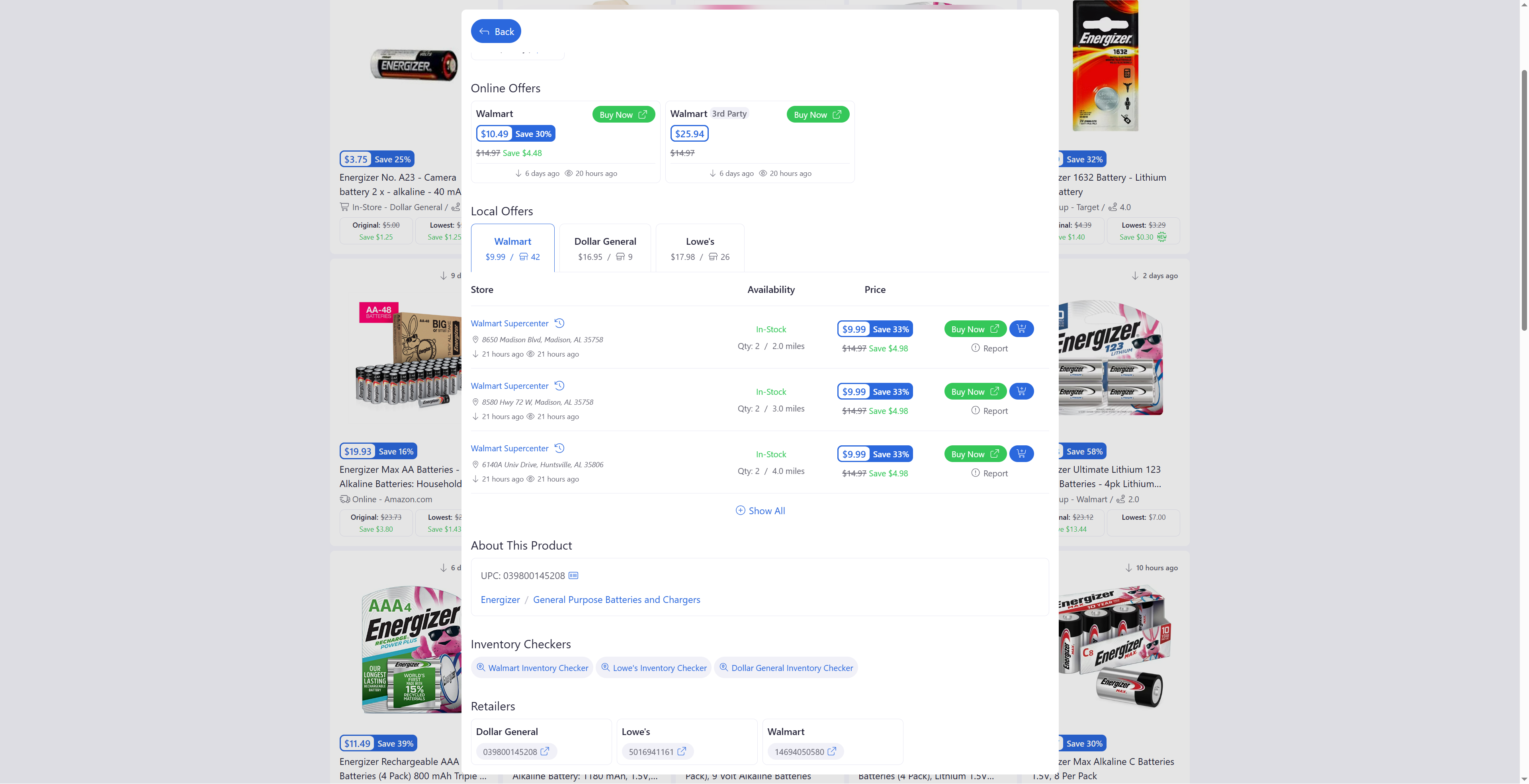
Your selected stores are used across several BrickSeek features, including:
- Local Deals
- Inventory Checkers
- Product Pages
- Store-specific pricing and availability
Instead of searching every location, BrickSeek focuses on the stores that matter most to you.
Why Customize Your My Stores?
The automatically selected stores are designed to get you started quickly, but they're only a starting point.
You may want to customize your selected stores by:
- Adding stores near work.
- Including stores in neighboring cities.
- Removing locations you never visit.
- Prioritizing stores where you shop most often.
A few small changes can make your local deals significantly more relevant.
How to Update Your My Stores
Updating your stores only takes a minute.
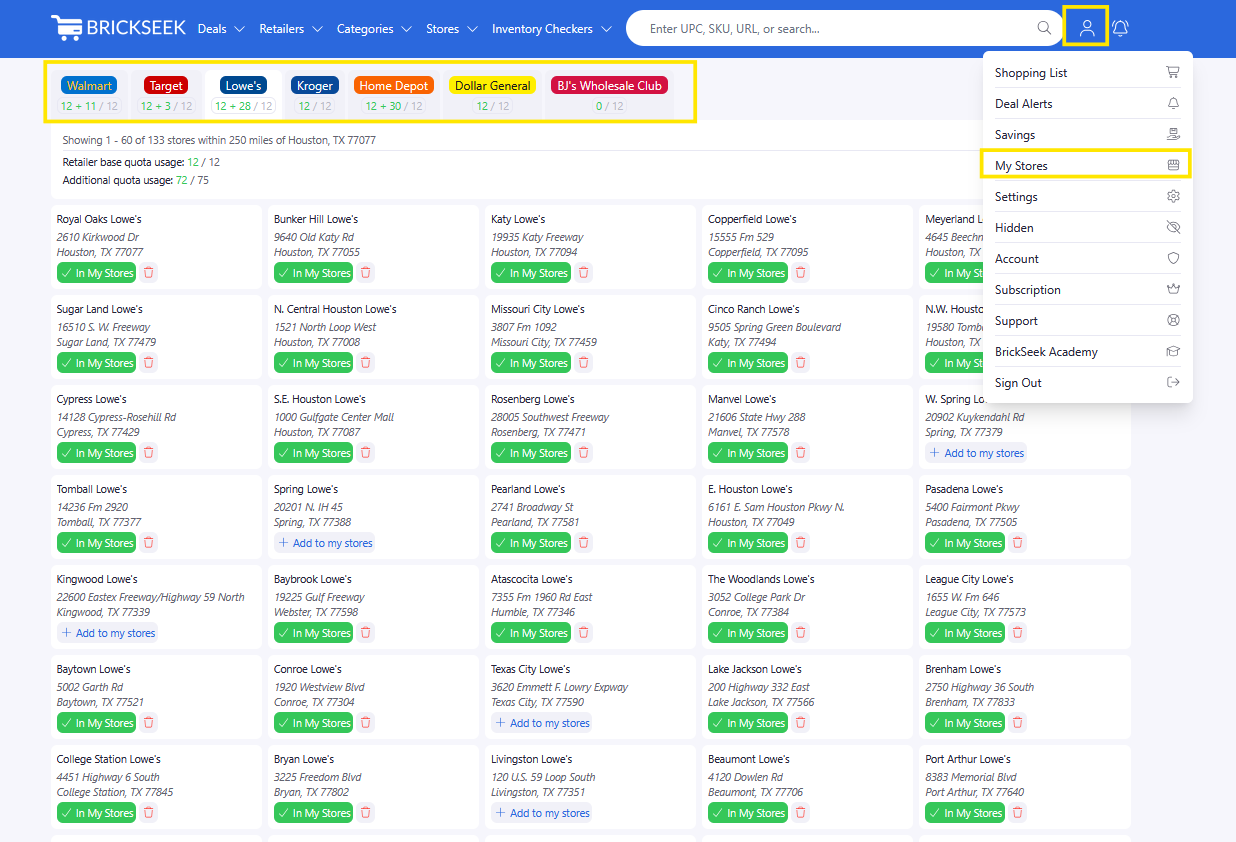
- Open My Stores from the navigation menu.
- Select a retailer.
- Add or remove stores.
- Repeat for any other retailers you'd like to customize.
Your changes are saved automatically.
Why This Matters
Many retailers price products differently at individual locations.
For example, one Home Depot may have a clearance item marked down to $16, while another store just a few miles away is still selling the same item for $99.
By customizing My Stores, BrickSeek focuses on the locations you're actually willing to shop, helping you discover deals that are more useful and more actionable.

Pro Tips
💡 Your nearby stores are automatically selected when you become a paid member, so you're ready to start browsing immediately.
💡 Review your My Stores occasionally to make sure they still reflect where you like to shop.
💡 Consider adding stores near your workplace or along your regular commute.
💡 Expanding your search area slightly can often uncover better clearance deals.
Frequently Asked Questions
Do I need to set up My Stores?
No. BrickSeek automatically selects nearby stores for paid members using the ZIP code on your account. We simply recommend reviewing those selections and customizing them if needed.
Can I change my stores later?
Absolutely. You can update your My Stores at any time.
How many stores can I add?
The number of stores you can save depends on your membership level.
Do I have to customize every retailer?
Up to you! If you don't shop around at various store locations for certain retailers, you can leave the default selections.
Related Lessons
- Finding Your First Deal
- Understanding Product Pages
- Understanding Inventory Results